



No clutter. No chaos. Just clarity.

Document Management That Puts Every Record Under Your Control

Capture, store, and retrieve the documents your business runs on with onPhase's secure, cloud-based document management platform.
Divider-Glow 2

Document management solutions that take
your business paperless

Document-Management-White-crop

Contracts, audit files, HR records, and vendor agreements end up scattered across filing cabinets, shared drives, and inboxes. The result is hours lost hunting for files, a scramble whenever auditors call, and sensitive information within reach of the wrong people.

onPhase gives your records one secure home, so you can see what you have, control who can access it, and stay ready for any audit. And because it runs on the onPhase platform, every file stays linked to the approvals, data, and payments built around it.

Divider-Glow-UP

Everything You Need to

Manage Documents Across Your Organization


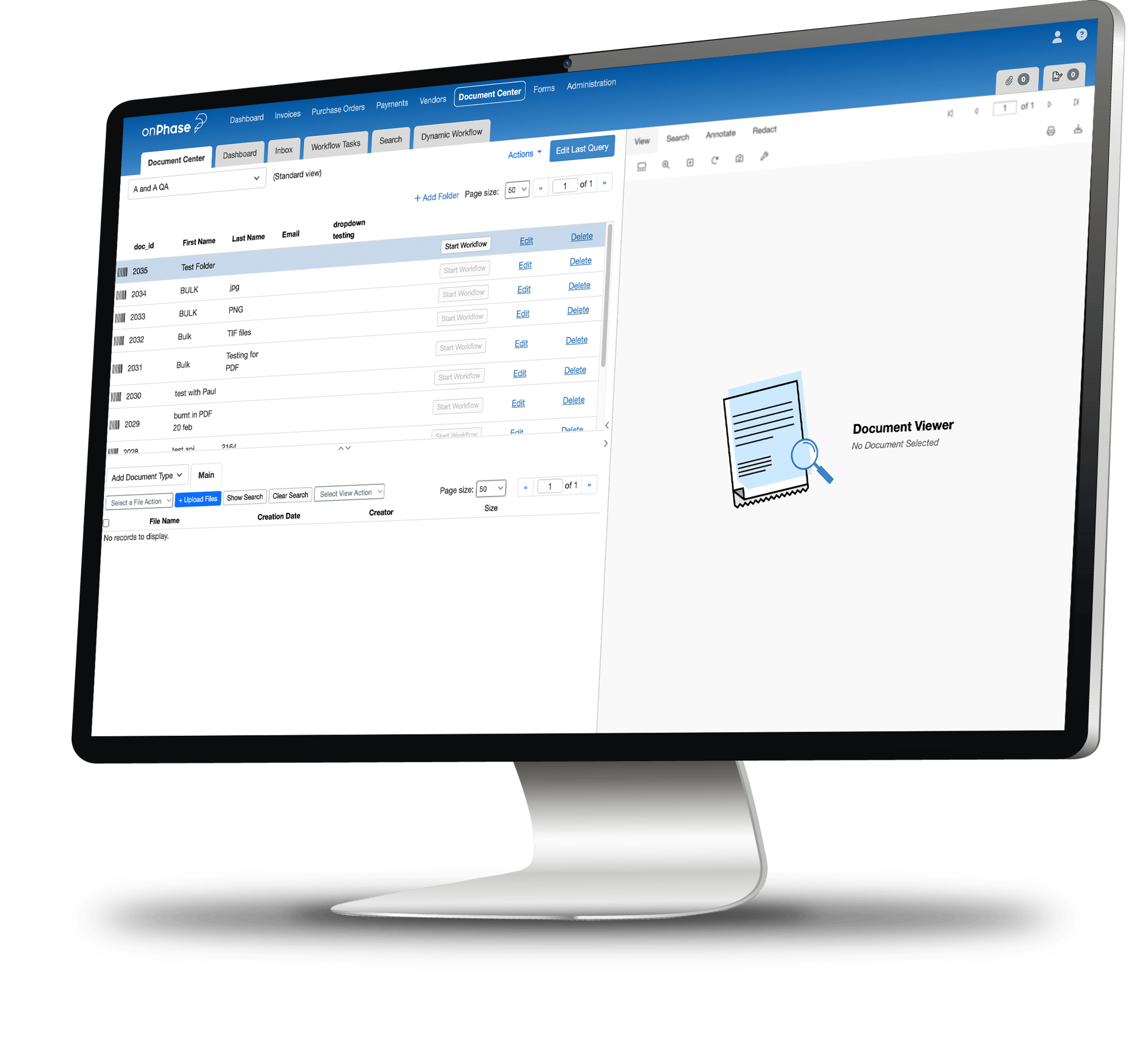
From arrival to archive, onPhase gives your team the tools to capture, organize, protect, and find every file, so you can retire manual processes, make decisions from records you trust, and stay audit-ready.
ComputerScreen-DM-Mockup

Smart Data Capture

OP_Icons_ArrowDownGry
button-up

Replace manual data entry with smarter Optical Character Recognition (OCR) technology that intelligently reads and interprets specified data from incoming documents.

Automatic Indexing

OP_Icons_ArrowDownGry
button-up

Save time with indexing based on the rules your team sets, tagging and categorizing incoming files automatically by the terms and document types you already use. Load your own reference data and onPhase fills in the remaining index fields as users type.

Advanced Search & Retrieval

OP_Icons_ArrowDownGry
button-up

Search by keyword, or filter by document type, date, department or any custom field.  Save the searches your team runs every week and rerun them in one click.

Secure Cloud Storage

OP_Icons_ArrowDownGry
button-up

Keep every file in cloud-hosted document storage with dedicated data center support, so your records stay available, backed up, and protected without adding hardware costs or IT overhead.

Custom Permissions & Access Controls

OP_Icons_ArrowDownGry
button-up

Decide exactly who can view, edit, or share each document with tiered permissions you control, down to the individual user.

Audit Trails

OP_Icons_ArrowDownGry
button-up

Log every capture, edit, approval, and access event with a time stamp, giving auditors a complete history of each document on demand.

Automatic File Routing & Workflows

OP_Icons_ArrowDownGry
button-up

Send documents to the right reviewer, approver, or department with custom workflows that fit the way your teams already share information.

Anytime, Anywhere Access

OP_Icons_ArrowDownGry
button-up

Give your team secure, around-the-clock access to documents and data from the office, from home, or on the road.

Vector

"onPhase has been such a tremendous savings on labor. Having these solutions in place makes life so much easier."

- SUBASH GHAMANDI, Senior Innovations Manager, Orange Lake Resorts

Explore how Orange Lake Resorts digitized record-keeping and revolutionized their document processes with the help of onPhase.


 

holiday-inn-club-vacations-logo


Payment Automation
CUSTOMER PAYMENT PORTAL

Make bill payment easy for your customers.

The easier it is for your customers to pay their bills quickly and securely, the more likely they are to pay on time.

Accelerate cashflow and build long-term customer confidence with a frictionless customer payment portal.

Learn more
OPcom_S_DocMan_Slider_03
VENDOR PAYMENTS

Complete the invoice process with vendor payment automation.

Making and receiving payments doesn’t need to be a pain for you or your business partners. Connect your payment processes from start to finish, and find a better way to manage accounts. 

Learn more
OPcom_S_DocMan_Slider_01
HELP CLIENTS PAY WITH CONFIDENCE

Remove friction from the payment process with DocuPhase's customer payment portal software.

AR Automation builds confidence with your business partners by enabling them to make secure and timely payments the way they want.

Your team can easily monitor cashflow and remittance data from a single intuitive platform.

Learn more
9steps
FEATURED RESOURCE

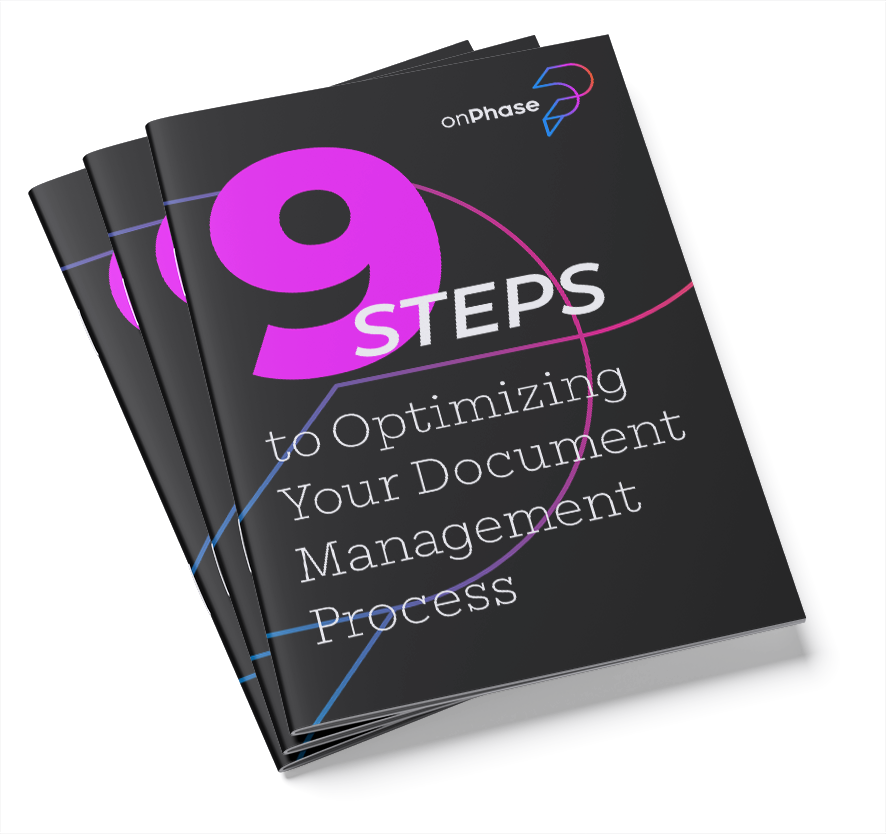
9 Steps to Optimizing Your Document Management Process

Traditionally, document management solutions only really scan and archive documents, but that’s just the beginning. Elevate your current document management processes to the next level with these 9 steps


download the tips

Built to work seamlessly with the ERP system you use today or tomorrow.

onPhase connects directly with the most widely used ERPs including NetSuite, Microsoft Dynamics, SAP, Procede, CDK, Karmak, and more. Data flows securely between systems in real time, so invoices, approvals, and payments are always up to date. No rekeying. No version control issues.
ERP-integration-26
Divider-Glow 2

How onPhase Document Management Works

From the moment a document enters your business to the moment it's stored for good, every step is automated, organized, and easy to find later.

Capture

Documents arrive by scan, email, upload, or barcode routing sheet from any department. OCR reads and extracts key data from contracts, HR records, receipts, invoices, and more.

Index

onPhase classifies and tags each file based on your indexing rules and document types, so everything is searchable the moment it lands.

Route

Custom workflows send documents that need action to the right reviewer, approver, or department based on the rules you set.

Store

Documents are saved in secure cloud storage with role-based permissions, encryption, retention rules, and a full audit trail already applied.

Retrieve & Report

Anyone with access can pull a document in seconds, and dashboards show document volume and access activity across your organization.
Divider-Glow-UP

Why Finance Teams Choose onPhase for Document Management

Eliminate filing cabinets and storage costs


Move your records to the cloud to cut server and storage costs, free up office space, and take a load off your IT team.


Find documents
in seconds


Consistent indexing and configurable search let anyone locate a document in moments, whether it was filed yesterday or seven years ago.


Stay audit-ready
by default


Time-stamped audit trails, retention tracking by document type, and full version history keep your records organized and ready for review whenever auditors ask.


Protect sensitive information


Tiered permissions, encryption, and access controls keep payroll, employee, vendor, and customer data secure without slowing down the people who need it.


Grow without a rebuild


Add users, departments, or entire business units as you grow. onPhase scales with your document volume, so you're never stuck re-architecting your system.


Start with documents. Grow into the platform.


Document management is part of the larger onPhase platform, so your records stay connected to the workflows and teams that use them every day instead of living in a separate system.


G2-Badges

What Our Customers Say

Avhishek-P_Review

"Document management is only the beginning"

Alicia-Reyes_Review

"Easy to store
and retrieve documents"

Andrea-B_Review-1

"Great at work flow and document storage"


Divider-Glow 2

FAQs About onPhase Document Management Software


What is onPhase document management software?

OP_Icons_ArrowDownGry
button-up
onPhase document management software gives your business one secure place to capture, organize, store, and retrieve any type of business document, from financial records and contracts to HR files and tax paperwork. It replaces filing cabinets, shared drives, and email attachments with automated capture, indexing, permissions, and retention controls, so teams can find any document fast and stay ready for audits.

What types of documents can onPhase manage?

OP_Icons_ArrowDownGry
button-up
onPhase manages contracts, HR and employee files, customer records, and compliance and safety documentation, along with finance records like vendor files, invoices, purchase orders, receipts, and expense reports. It handles scanned and digital files, structured and unstructured formats, handwritten content, and multi-language documents.

How does onPhase capture documents?

OP_Icons_ArrowDownGry
button-up

onPhase uses OCR and to read incoming documents and pull the key details automatically, whether they arrive as scans, emails, or uploads. That means less manual entry and files that are organized from the moment they come in.

Can we configure indexing and routing to match our existing processes?

OP_Icons_ArrowDownGry
button-up
Yes. onPhase indexes documents based on rules you define, including document type, department, vendor, or custom metadata fields. Routing workflows follow your business rules, so documents move through accounting, HR, operations, or any other team exactly the way they work today.

How does onPhase handle permissions for sensitive documents?

OP_Icons_ArrowDownGry
button-up

onPhase uses tiered, role-based permissions that you define. You can grant read-only, edit, or full access by user, department, or document type, so payroll, employee, vendor, and audit files are visible only to the people who need them. Every access event is logged with a time-stamped audit trail.

What security and compliance standards does onPhase meet?

OP_Icons_ArrowDownGry
button-up
onPhase is SOC 1 and SOC 2 audited, and supports HIPAA and PCI DSS compliance. Documents are encrypted in transit and at rest, cloud hosting includes dedicated data center support and disaster recovery, and a full audit trail records every capture, edit, approval, and access event.

Which ERPs and business systems does onPhase document management integrate with?

OP_Icons_ArrowDownGry
button-up

onPhase integrates with leading ERPs and dealer management systems, including NetSuite, Microsoft Dynamics and Business Central, SAP, Sage, Acumatica, CDK, and Procede, with additional connections available. Documents and their metadata stay in sync between systems, so your team never has to rekey data or chase down the latest version of a file.

What does an onPhase document management implementation involve?

OP_Icons_ArrowDownGry
button-up

Every onPhase implementation is scoped to your document volume, existing systems, and integration needs. Phased migrations are supported, along with several integration methods including API, secure file drop, and direct access, so your team can bring the platform online in stages without disrupting daily operations.

How is onPhase document management priced?

OP_Icons_ArrowDownGry
button-up

onPhase document management includes unlimited users, so pricing is based on your document volume, the features you need, and your integration requirements. You'll receive a custom quote after a short scoping call or demo.

Divider-Glow-UP

Let's simplify your business together.

In a short discovery call, we'll discuss where your records sit today and show you where onPhase can make the biggest difference first.


*By submitting this form, you acknowledge that your information may be used in accordance with our Privacy Policy and Terms of Use, and agree to receive occasional communications. You can update your email preferences at any time.